
How do I clone or update a measurement when the customer’s size changes?
Customers lose or gain weight. You do not need to retype the measurement from scratch, and you should not erase the old one.
Cloning and editing
- Open the measurement — Figure 1 — and press Clone.
- A new copy is created with all the values, notes and annotations, linked to the original.
- Change in the copy what actually changed, and give it a new label such as “dishdasha measurement 2026”.
- To edit directly without cloning, press Edit — Figure 2 — which is for fixing a mistake, not for recording a change.
When to clone and when to edit
- Clone — when the customer’s body has genuinely changed; the old one stays as a reference.
- Edit — when the number was written wrongly in the first place.
- Create a new measurement — when the garment is an entirely different type.
Notes
- Do not erase the old measurement when the weight changes; many customers return to their previous size within a year.
- Put the year or the occasion in the label so you know which is the latest without opening them.
- At order taking, attach the line to the right measurement — this is where mistakes happen most when a customer has many.
Screenshots
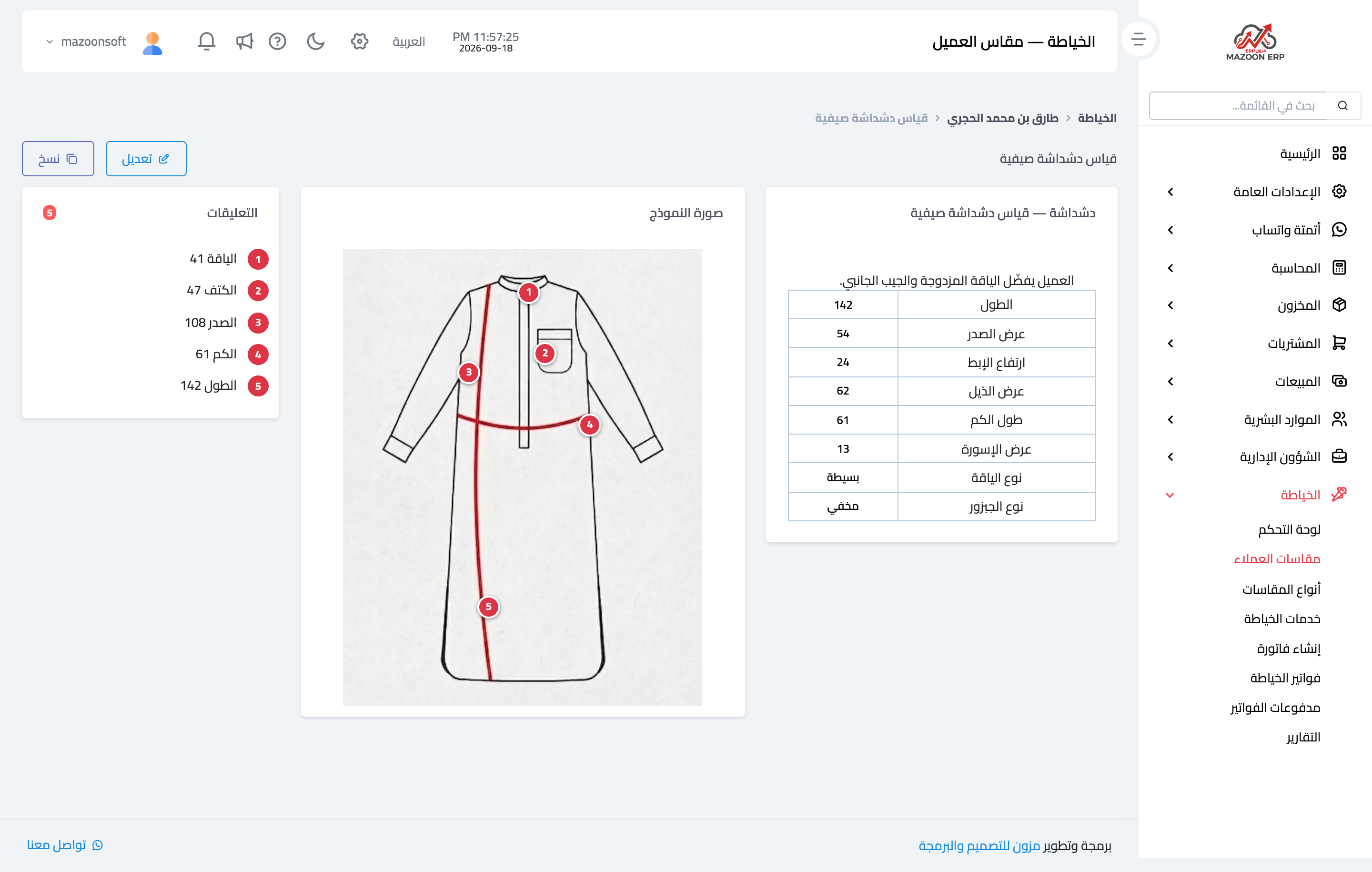
Figure 1
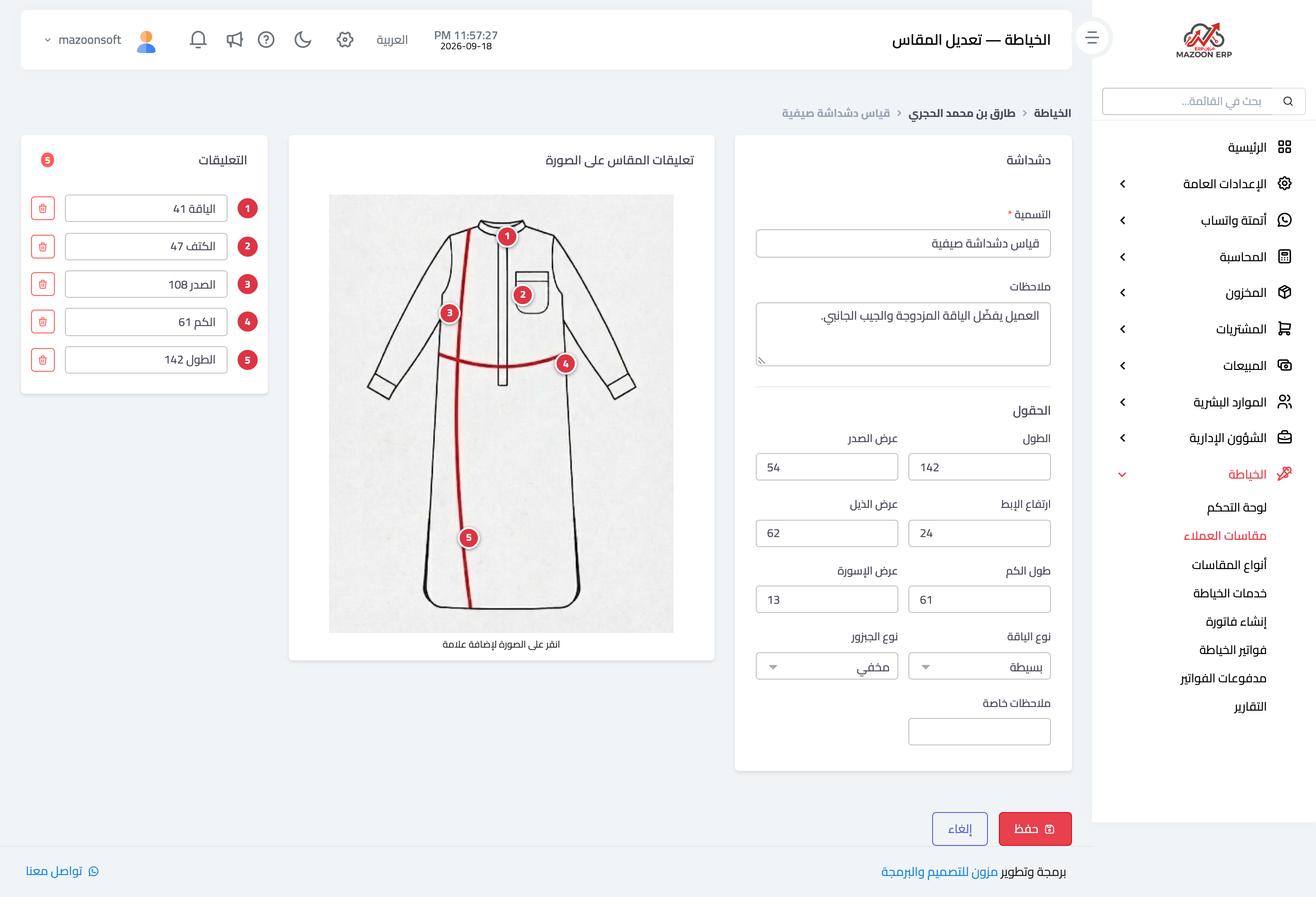
Figure 2
Try what you just read on your own data
Open a free 7-day trial — no credit card, with your own company link in minutes.