
How do I find a customer measurement quickly while they are standing there?
A customer walks in and says “same as last time”. The whole value of the system is being able to find that in seconds.
Steps
- Open Tailoring → Customer measurements — Figure 1.
- Search by customer name or phone number; the phone is more reliable when names are similar.
- All of their measurements appear with their labels, types and dates.
- Open the measurement — Figure 2 — and read the values, the notes and the annotations on the drawing.
- On the invoice form the customer measurements appear automatically once you select them, so you often do not need to search at all.
Notes
- Record the customer phone correctly the first time; it is your fastest search key.
- A customer registered twice means measurements split across two files, which is what ruins the benefit most.
- A clear label saves you opening every measurement to find the right one.
- If the customer wants a slight change, clone the measurement rather than editing the old one.
Screenshots
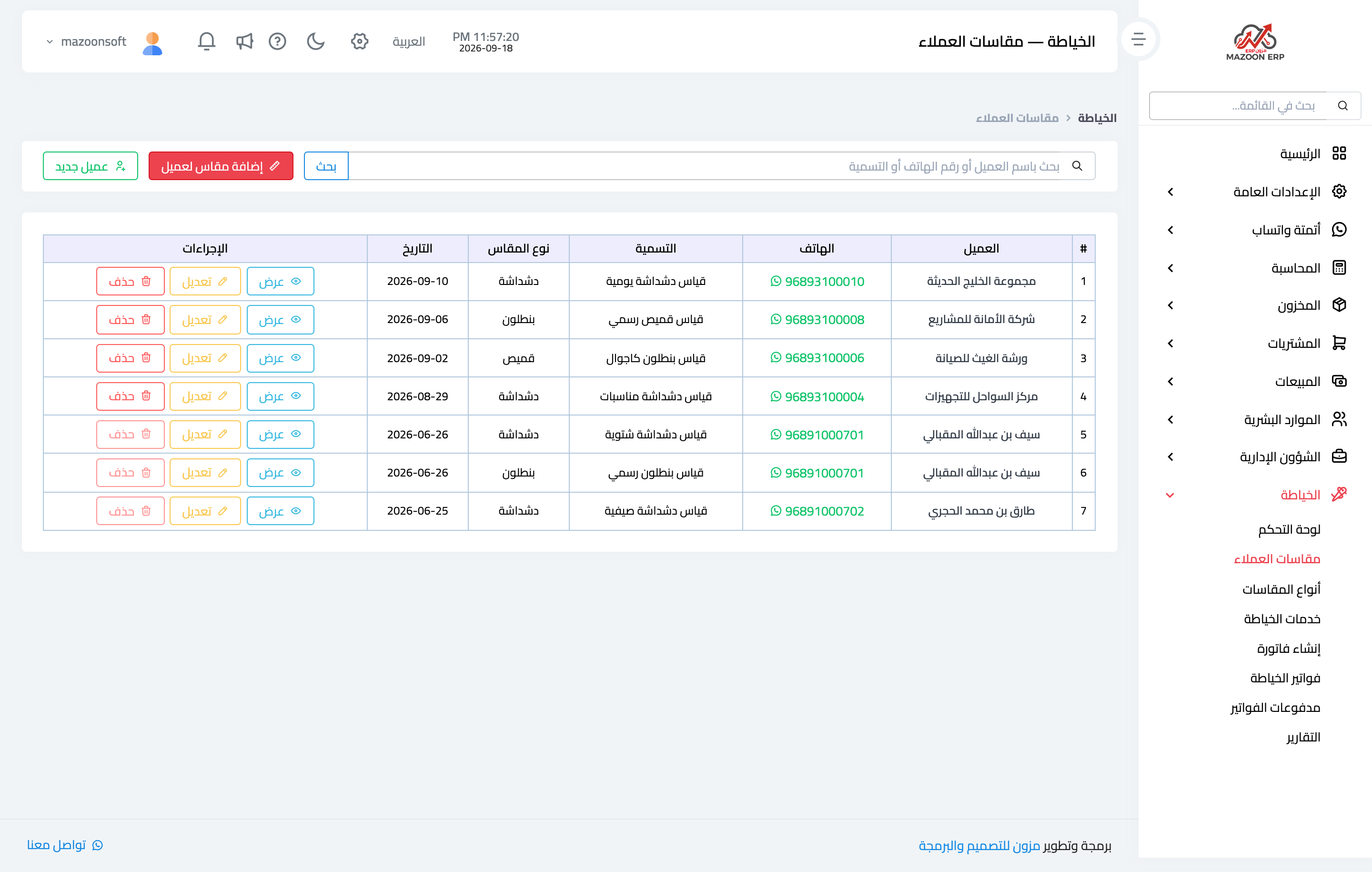
Figure 1
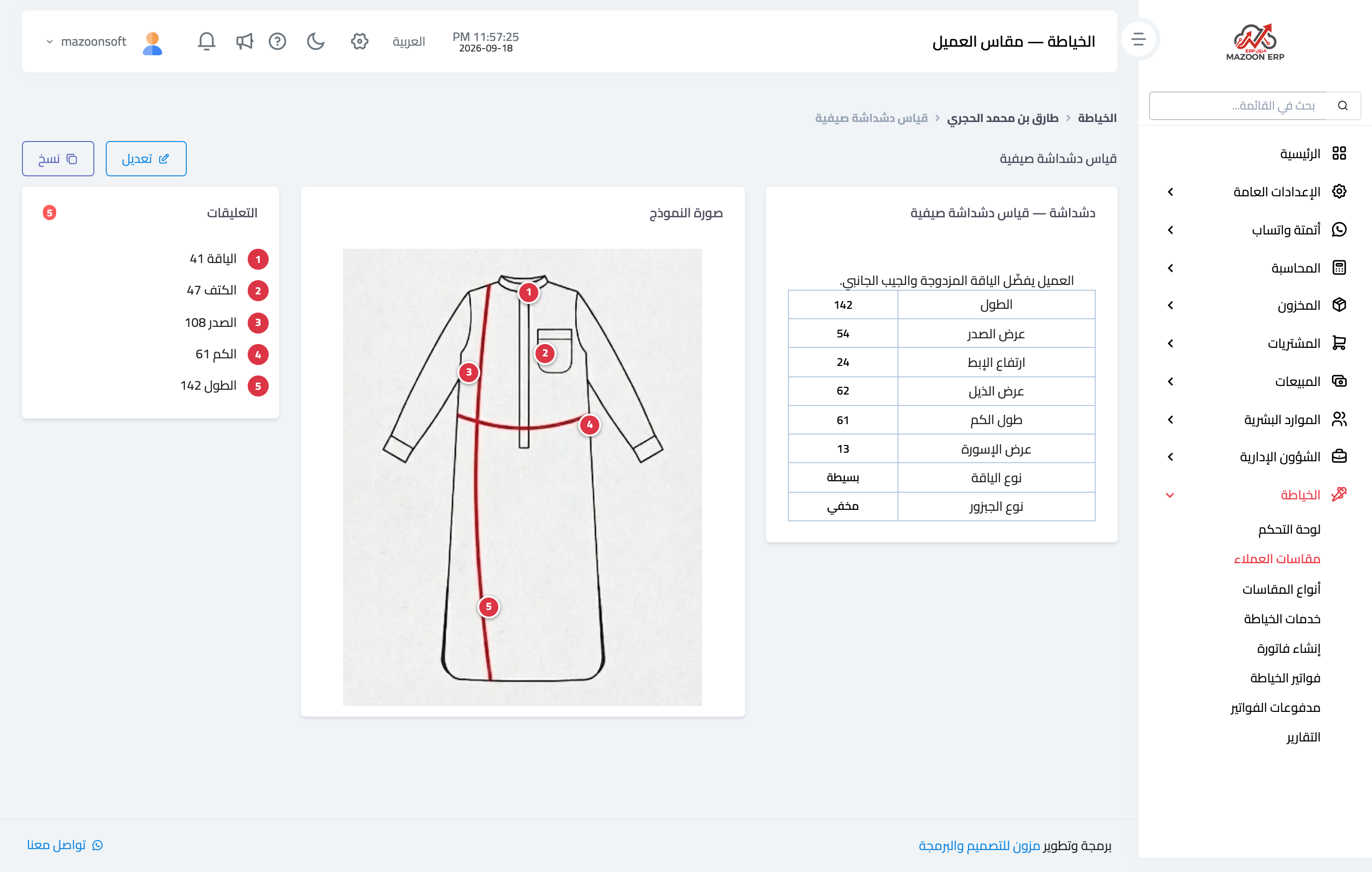
Figure 2
Try what you just read on your own data
Open a free 7-day trial — no credit card, with your own company link in minutes.