
How do I track an order through to delivery?
The question a tailoring shop hears most is “where has my order got to?” The statuses answer it without asking anyone in the workshop.
The five stages
- New — the order is recorded and work has not started.
- In tailoring — with the tailor.
- At ironing — out of sewing but not yet finished.
- Ready — waiting for the customer to collect.
- Delivered — the customer has actually taken it.
Steps
- Open the invoice — Figure 1 — and at the bottom there is a change status box.
- Pick the new status, write a note if needed, then press Update.
- Every change is recorded in the status log with who changed it and when.
- From Tailoring invoices — Figure 2 — filter by status to see what is at each stage.
- Filter by delivery date to see what has run past its promised date.
Notes
- Statuses only pay off when updated as things happen; an invoice sitting at “new” for a week means nobody has looked at it.
- Make updating the status the job of whoever receives the garment, not the accountant.
- The ready list is today’s call list, and every day a piece sits there is space occupied in your shop.
- Do not move a status to delivered before collecting the balance; that is the quickest way to lose the money.
- A products-only invoice does not go through the stages; it becomes Delivered when approved and does not appear in the stage counters.
Screenshots
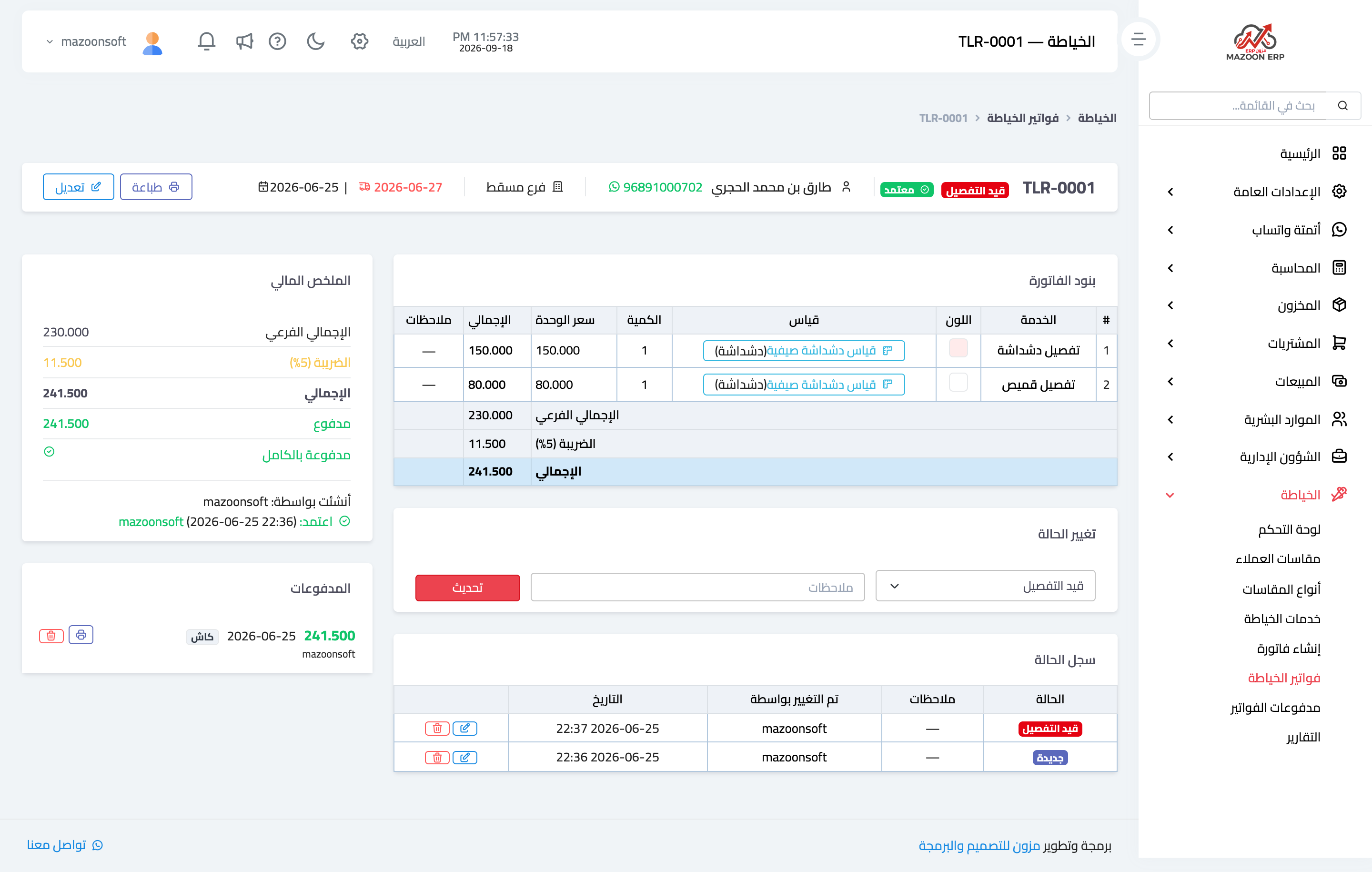
Figure 1
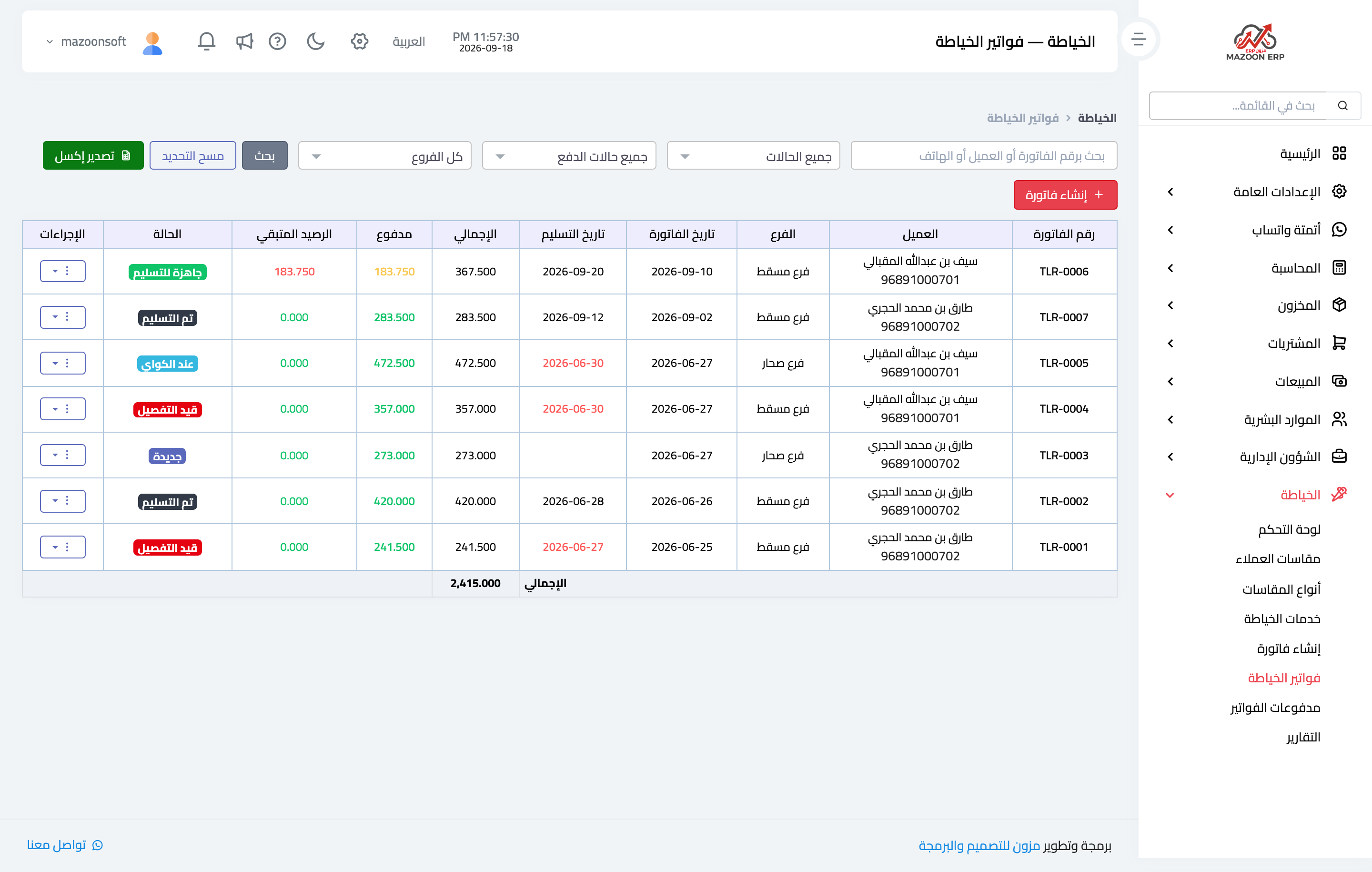
Figure 2
Try what you just read on your own data
Open a free 7-day trial — no credit card, with your own company link in minutes.