
Work orders
A bill of material is a recipe on paper; a work order is its execution: it consumes raw materials from stock, produces the required quantity of the final product, and adds it to the balance.
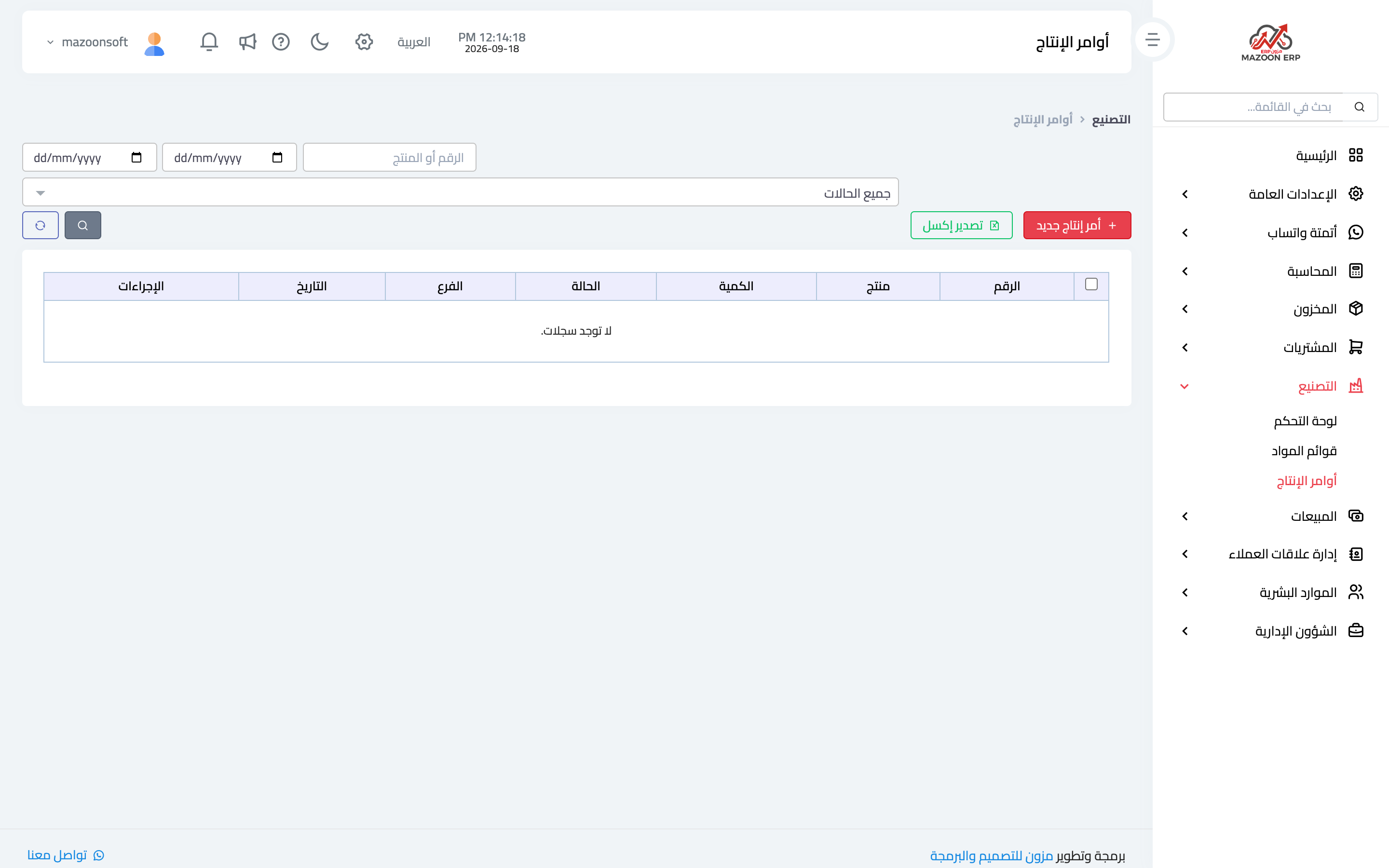
The work order list
From the manufacturing dashboard open the Work Orders card — image 1 — to see orders with their numbers, products, quantities, branches, dates and statuses: draft, in progress, completed, cancelled.
Creating a work order
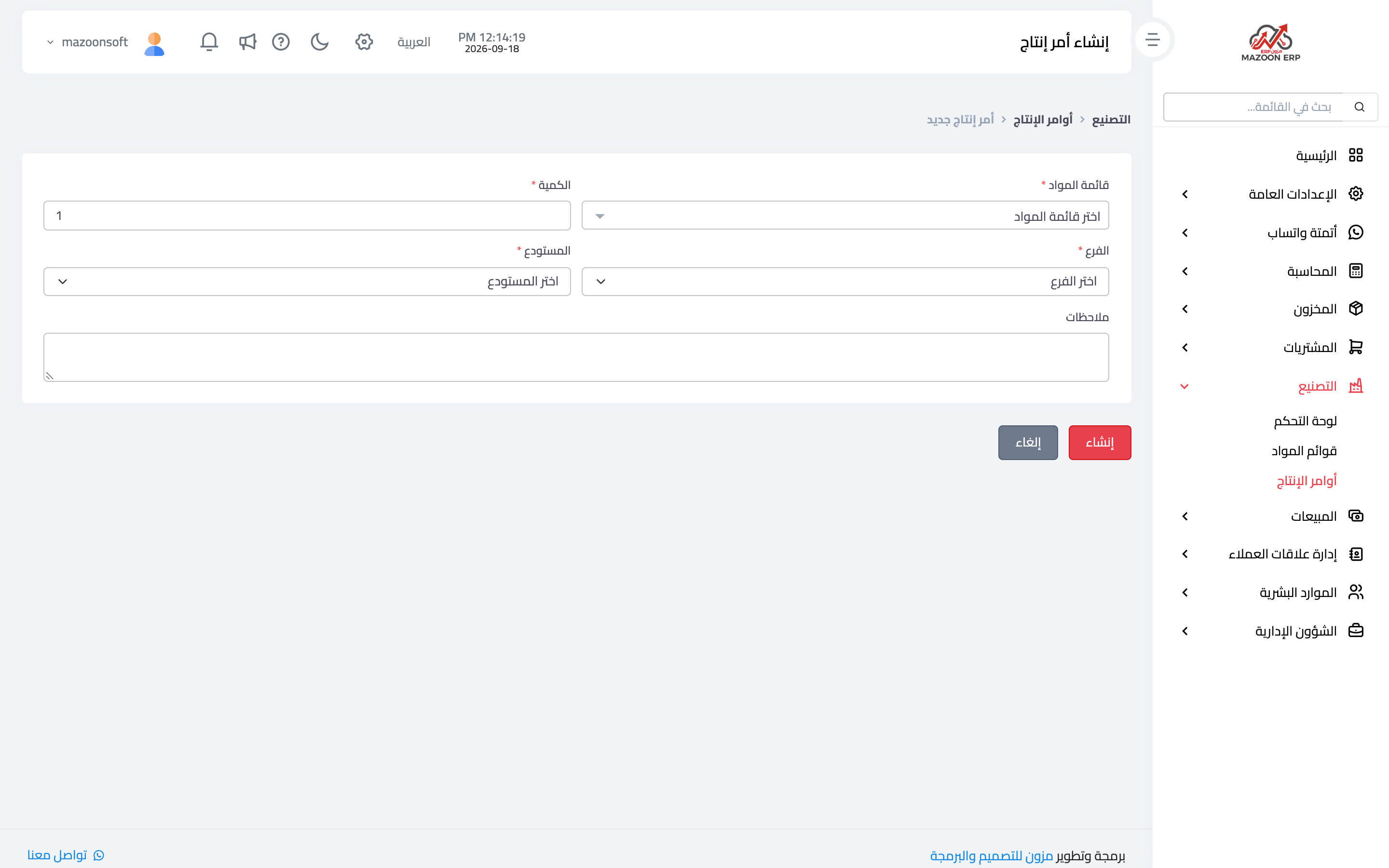
Press New Work Order as in image 2:
- Bill of material — the recipe to execute; from it the system knows the components and their proportions.
- Quantity — how many units of the final product to make; the system multiplies the recipe's components by it.
- Branch then warehouse — where materials are drawn from and where the product lands. Choose the branch first so its warehouses appear.
- Notes — a batch number or any reference that helps tracing.
The order's life cycle
- Draft — created but not started; freely editable or cancellable.
- In progress — production has begun and materials are committed.
- Completed — production finished: raw materials are deducted from the warehouse, the final product is added at the produced quantity, and cost moves from materials to product.
- Cancelled — the order was cancelled and left no effect on stock.
So do not leave orders "in progress" after production has actually finished: the materials are gone in reality while the system still shows a balance that has not been deducted.
Common mistakes
- Producing without enough material — check component balances before starting; if the warehouse forbids negative stock, the order will not complete at all.
- Adding the finished product with a stock adjustment instead of a work order — the balance rises without materials being consumed, producing phantom profit and a wrong production cost.
- Ignoring the waste percentage in the recipe, which shows up as recurring differences when counting raw materials.
Effect on the other modules
- Inventory — two ledger movements: an issue for raw materials and a receipt for the finished product.
- Accounting — value moves from the materials account to the finished goods account.
- Sales — the finished product becomes sellable immediately at its new balance.
The manufacturing sidebar also carries an extra guide for confectionery businesses, explaining recipes and costing with examples from that trade.
Screenshots
Try what you just read on your own data
Open a free 7-day trial — no credit card, with your own company link in minutes.