
Manufacturing: bills of material and costing
The Manufacturing module is for anyone who turns materials into a product: a small factory, a bakery, an assembly workshop, a production kitchen. It answers the question owners of such businesses find hardest: what does one unit actually cost me to produce? — and therefore what should I sell it for.
The manufacturing dashboard
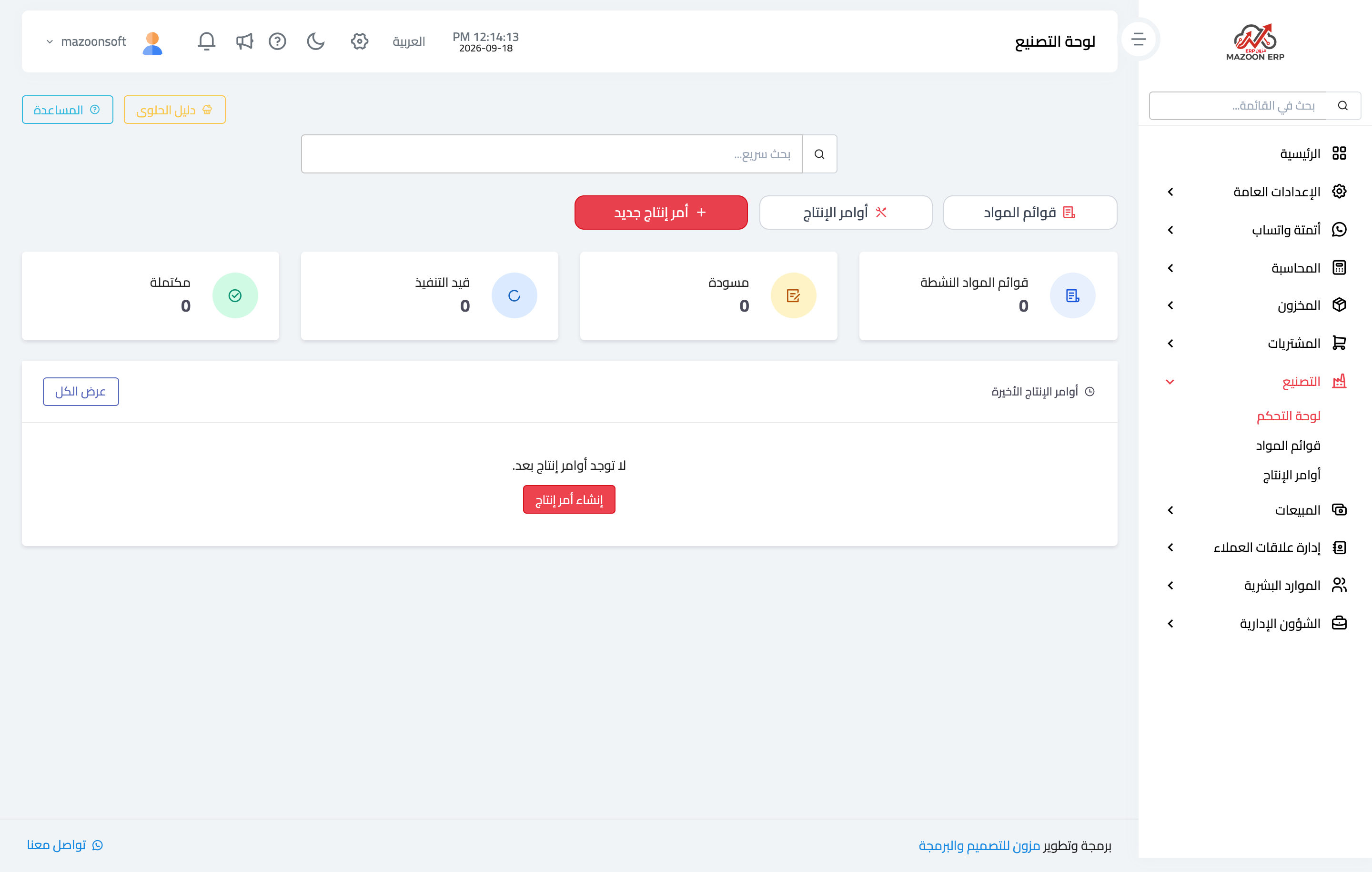
In the sidebar choose Manufacturing, then Dashboard — image 1 — and you see: how many bills of material are active, work order statuses (draft, in progress, completed, cancelled), a table of recent work orders, and buttons for new work order and the confectionery guide.
The bill of material (the recipe)
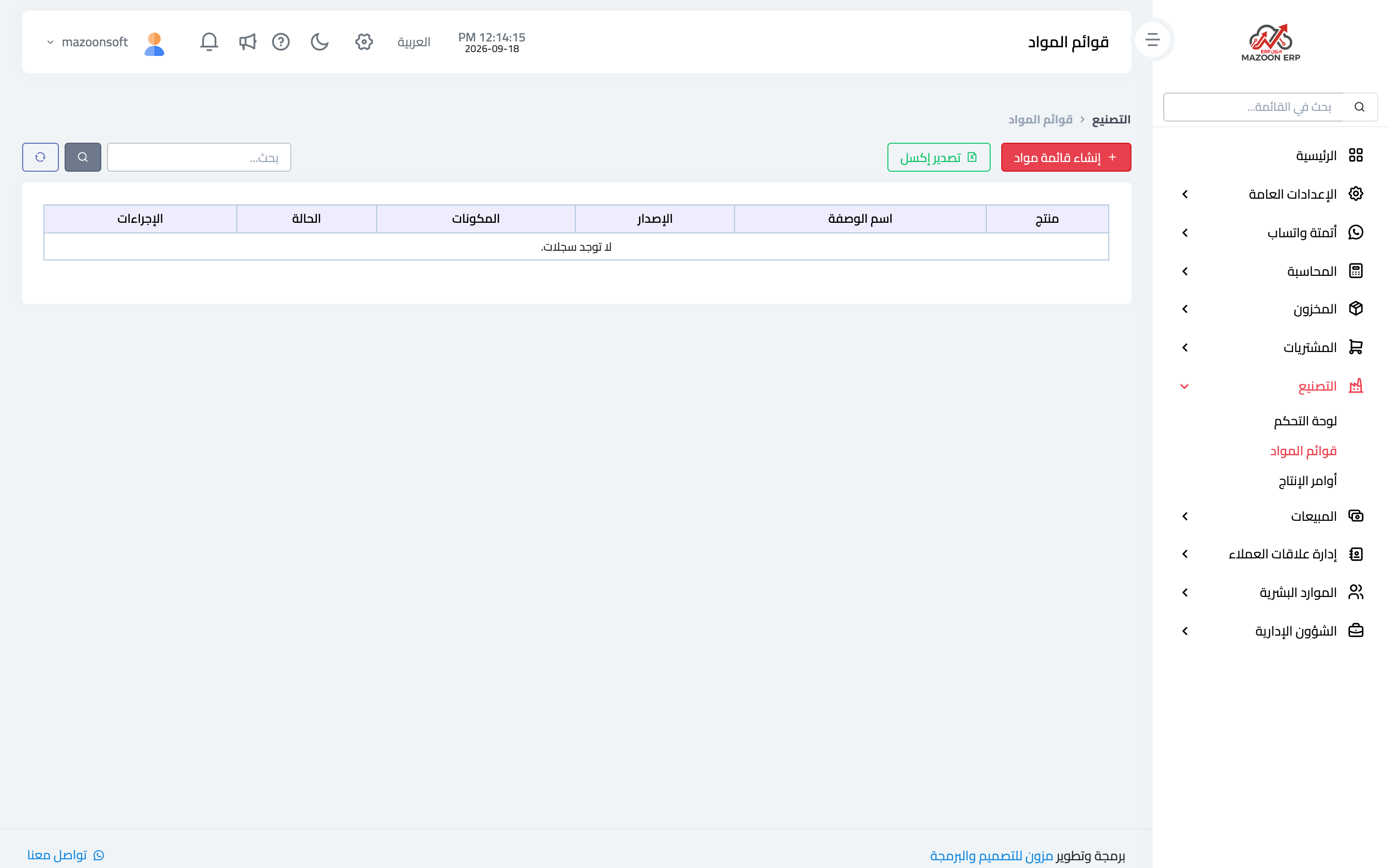
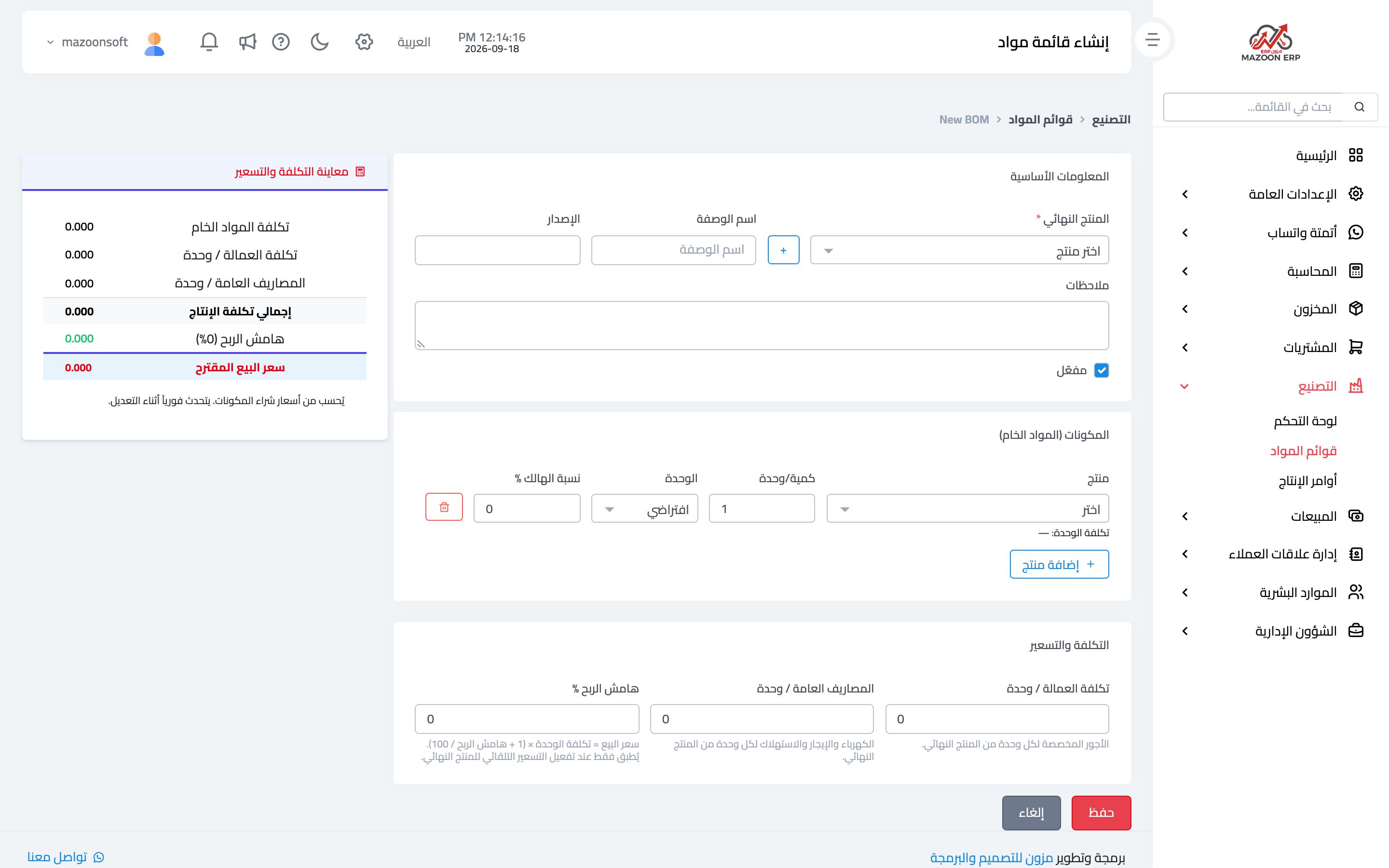
A bill of material is the product's recipe: what goes into it and in what quantity. From the Bills of Material card — image 2 — press Create BOM as in image 3.
Basic information
- Final product — the item to be produced; it can be created from the "+" button right here.
- Recipe name and version — useful as a recipe evolves: keep the old version and work with the new one.
- Notes and active.
Components (raw materials)
Each component has a product, the quantity per unit produced, its unit, and a waste percentage.
That waste percentage is what makes the costing realistic: if 5% of a material is lost in cutting or packing, your true cost is higher than the net quantity suggests. Enter it here rather than being surprised by differences at the next stock count.
Cost and pricing
- Labour cost per unit — wages attributed to each unit of the final product.
- Overheads per unit — electricity, rent and depreciation spread over the unit.
- Profit margin % — from which the sale price is derived: unit cost × (1 + margin ÷ 100).
The live preview panel
On the side of the page, a cost and pricing preview updates instantly with every change: raw material cost (from the components' purchase prices), labour cost, overheads, total production cost, margin, and the suggested sale price.
That panel alone justifies building the BOM: raise a component's price and you see the effect on the suggested price before you decide anything.
Automatic pricing
If the item has auto-update pricing from manufacturing enabled, the final product's price moves as its components' costs change — so an old price does not survive a rise in material prices.
Tips
- Define raw materials in Inventory with the raw material type so they are distinct from items offered for sale.
- Revisit the recipe when a supplier or pack size changes; a different pack size changes the unit cost.
- Create a new version rather than editing an old recipe that already has completed work orders, so the cost of past orders stays correct.
Screenshots
Try what you just read on your own data
Open a free 7-day trial — no credit card, with your own company link in minutes.