
Administrative Affairs overview, tasks and appointments
The Administrative Affairs module handles the part of a business that usually gets lost between drawers and chat groups: incoming and outgoing letters, assigned tasks, licences that expire, and the files everyone hunts for at the worst moment.
The dashboard
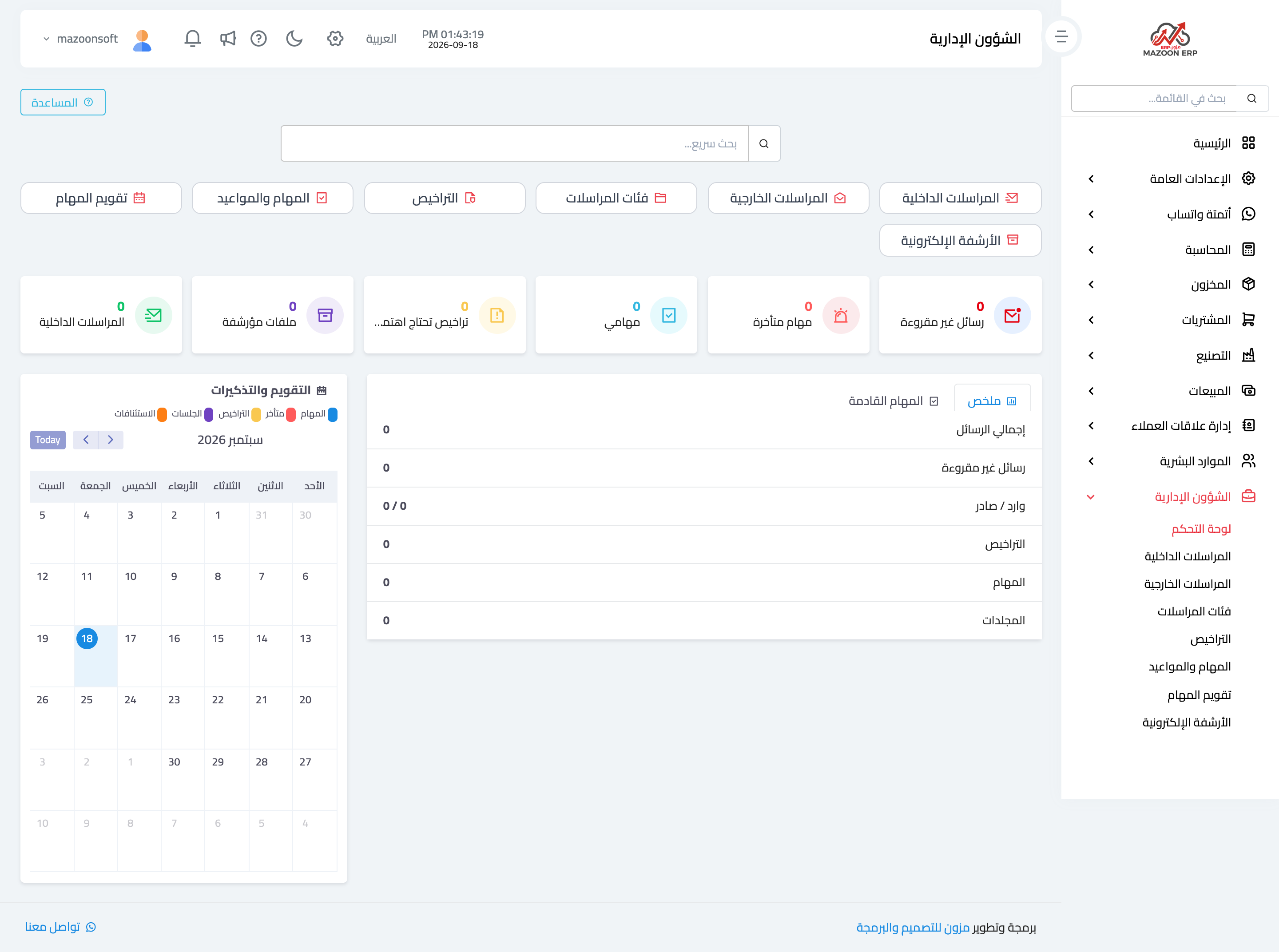
In the sidebar choose Administrative Affairs, then Dashboard — image 1 — which holds:
- Cards — internal correspondence, external correspondence, correspondence categories, licences, tasks and appointments, the task calendar, and the document archive.
- Indicators — unread messages, overdue tasks, my tasks, licences needing attention, archived files, internal correspondence.
- Calendar and reminders — a monthly view combining tasks, licences, hearings and appeals in distinct colours, so the month's obligations are visible at a glance.
- A summary and upcoming tasks beside the calendar.
Tasks and appointments
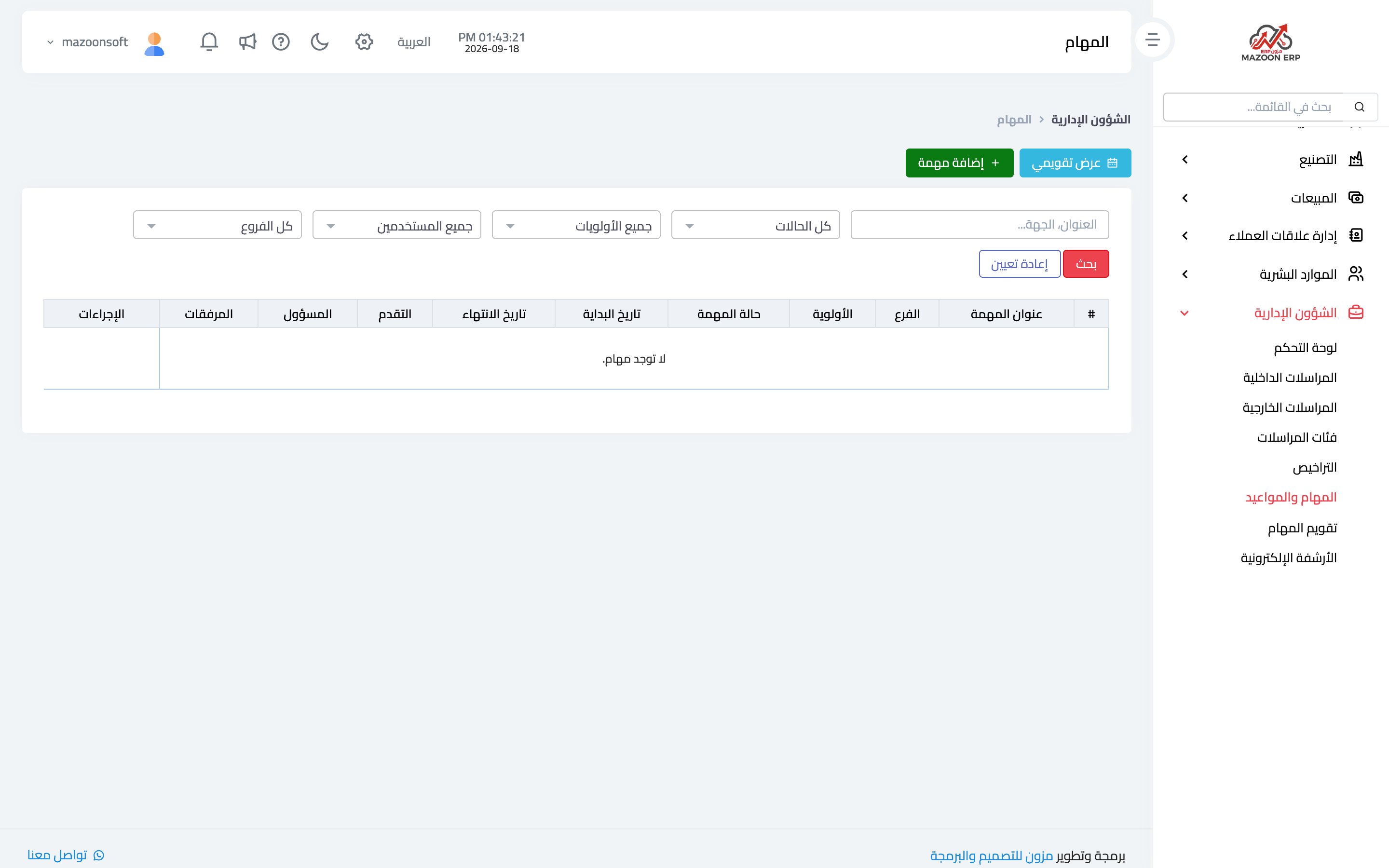
The Tasks card — image 2 — lists tasks with their status, owner and due date.
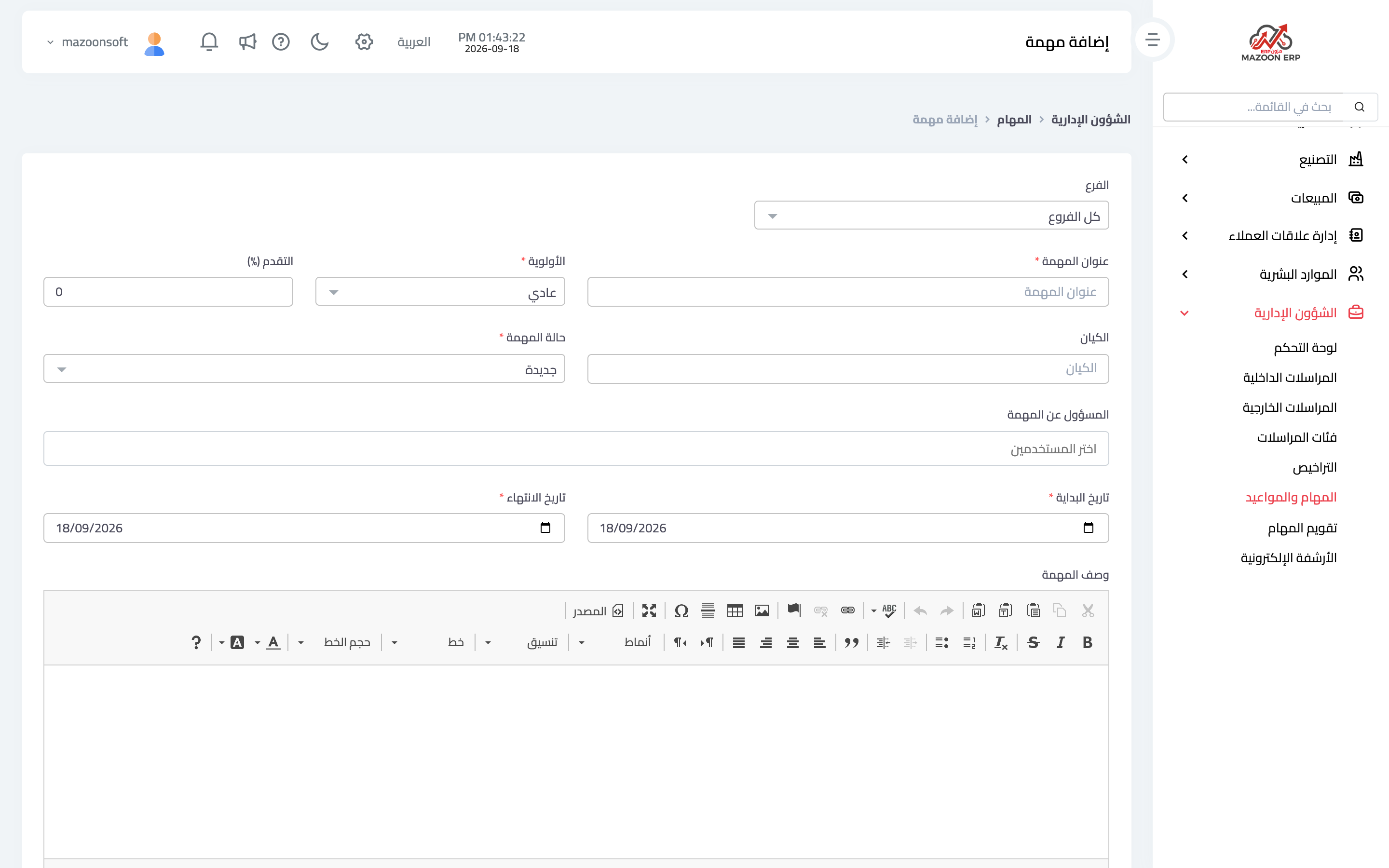
To create one press Add as in image 3: title, description, the assignee or assignees, due date, priority, status, and attachments where needed.
What makes tasks actually work
- One clear owner per task; a task assigned to everyone is done by no one.
- Always a due date; without one the "overdue tasks" indicator means nothing.
- Comments on the task instead of side messages, so the context of a decision stays with the task.
The task calendar
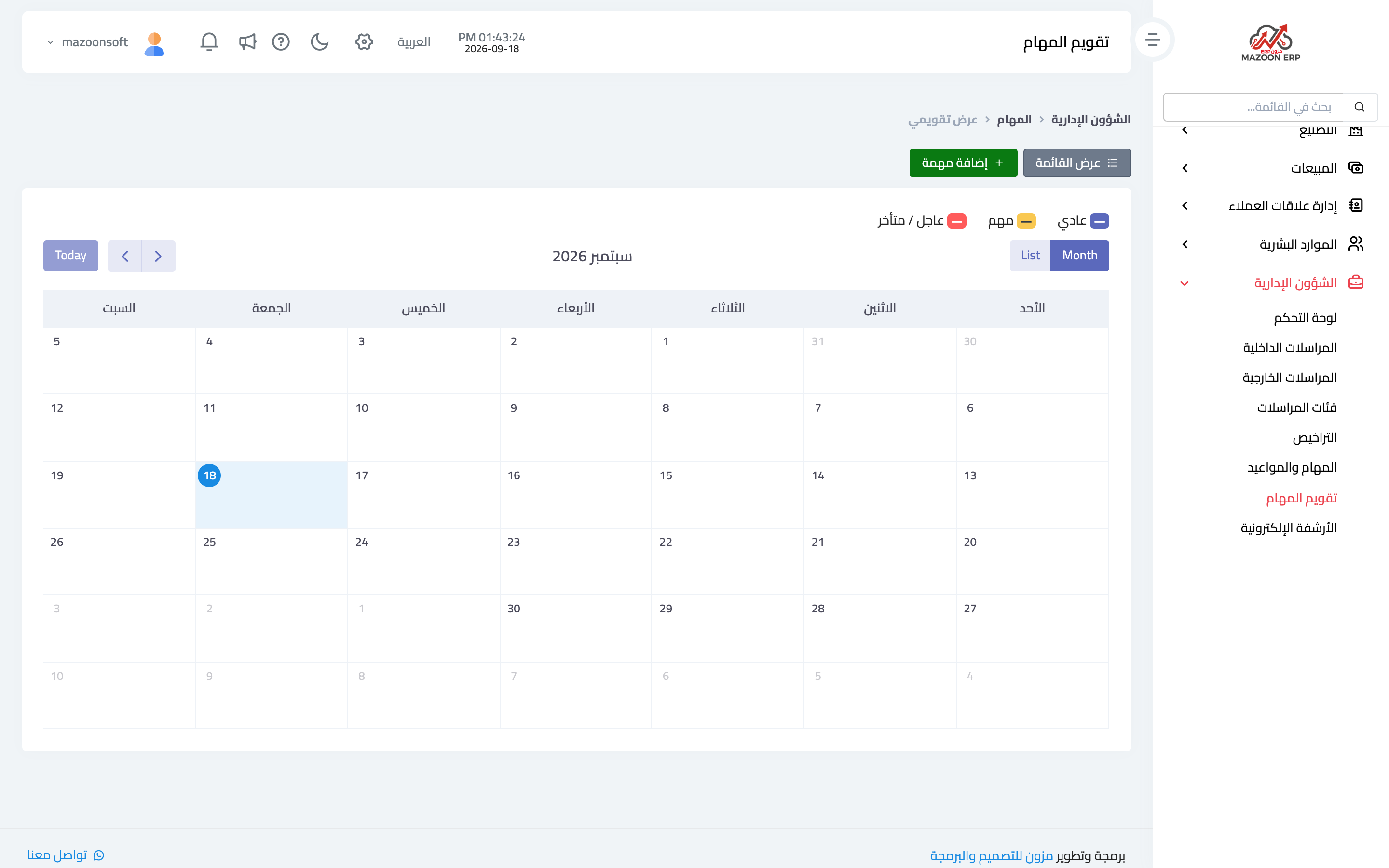
The Task Calendar card — image 4 — spreads tasks and appointments across the month. It suits weekly planning better than a list: you see a day already overloaded before promising anything else on it.
Who sees what
The my tasks indicator shows what is assigned to you. Permissions matter here: not every employee needs to see all of management's tasks — shape the roles so a staff member sees their own tasks and a manager sees their department's.
Screenshots
Try what you just read on your own data
Open a free 7-day trial — no credit card, with your own company link in minutes.